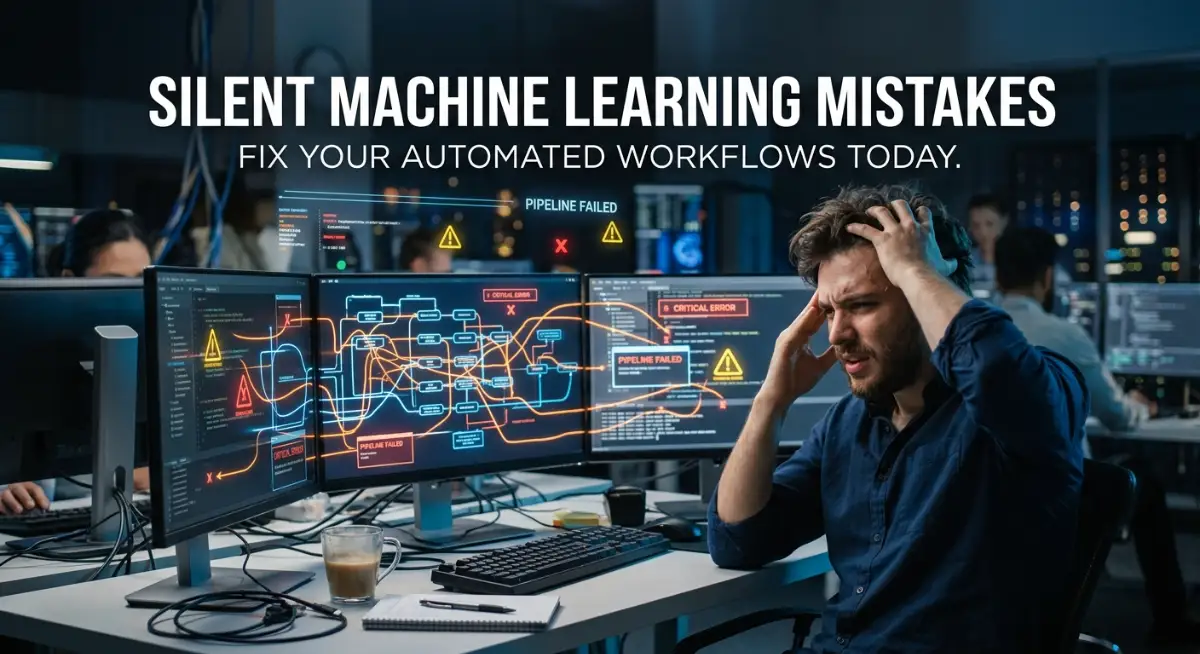
The Hidden Nightmare of Broken AI Automation
I still remember the exact moment my entire daily routine fell apart because of a "smart" system I trusted too much. I had just spent a whole weekend setting up a machine learning tool to automatically sort my incoming client emails, assign priority tags, and draft basic replies. For the first few days, I felt like an absolute genius. My inbox was perfectly clean, and I had hours of extra free time to focus on real work. I thought I had finally hacked my productivity.
But then, a major client called me in a panic, asking why I was ignoring their urgent requests for an entire week. I was completely shocked. I opened my automated system and realized my smart filter had quietly mislabeled every single one of their emails as low-priority spam. I was not just embarrassed; I was deeply frustrated. My attempt to save time had actually damaged a valuable business relationship.
This is the harsh reality of relying on artificial intelligence without fully understanding how it behaves in the background. We are constantly told that smart tools will magically fix our busy schedules. We plug them in, connect them to our favorite apps, and expect perfect results.
But behind the scenes, these algorithms are highly sensitive. They are making tiny, invisible errors that compound over time. You might not notice these errors today or tomorrow. Eventually, though, they create a massive mess that takes days to untangle.
Think about how this actually affects your mental peace. You set up these systems to reduce your anxiety and free up your mind. Instead, you end up with this quiet, lingering doubt. You start double-checking the automated work, which completely defeats the purpose of automating it in the first place.
You feel stressed because you are no longer in control of your own tasks. When you do the work manually, at least you know exactly what is happening. When a background algorithm fails silently, it feels like an invisible team member is actively sabotaging your day.
Escaping the "Set It and Forget It" Trap
The biggest lie we tell ourselves about smart algorithms is that they do not need supervision. We treat them like standard software programs. If you set up a basic rule in your email client—like moving messages with a specific word to a specific folder—it will do exactly that forever.
Machine learning does not work like a simple rule book. It is much more like a young, eager assistant who is constantly trying to guess what you want based on past behavior. If you do not guide this assistant, they will eventually start making the wrong guesses.
People assume that once an algorithm is trained and running, the job is completely done. This belief is exactly why so many digital processes break down behind the scenes. You cannot just flip a switch and walk away.
Think about an autopilot system on a commercial airplane. Pilots do not turn on the autopilot and then go to sleep in the back of the plane. They sit in their seats, monitor the dials, and make small adjustments when the wind changes.
Your daily automated tasks need the exact same level of attention. You need to be the pilot checking the dials. If you are using smart tools to sort customer support tickets, manage inventory, or analyze expenses, you must schedule regular check-ins.
I highly recommend setting a recurring calendar reminder every single week just to review the decisions your system has made. Pick a random sample of tasks it completed and review them manually. Did it categorize that receipt correctly? Did it send the right automated response to that new lead?
By doing this, you catch the small mistakes before they become expensive disasters. It might feel like extra work initially, but a quick five-minute review on a Friday afternoon will save you hours of stress later.
Over-automating is a dangerous game.
I used to try and automate absolutely everything, from my personal finances to my client onboarding. My biggest realization was that some tasks simply require a human touch to maintain quality. Now, I only automate the repetitive data entry steps, but I always leave the final approval button to myself. This tiny bit of friction keeps me in control.
Watch This Expert Explanation on AI Automation Traps
If you want to understand exactly why these smart systems fail without human oversight, you need to watch this incredible breakdown. This short video perfectly explains how to build a safety net for your automated tasks so you never lose control again.
The Silent Killer: When Your Data Habits Change
One of the most confusing things about smart algorithms is that they can stop working perfectly even if you never touched the settings. You might be thinking, "How is that possible? I did not change a single thing!"
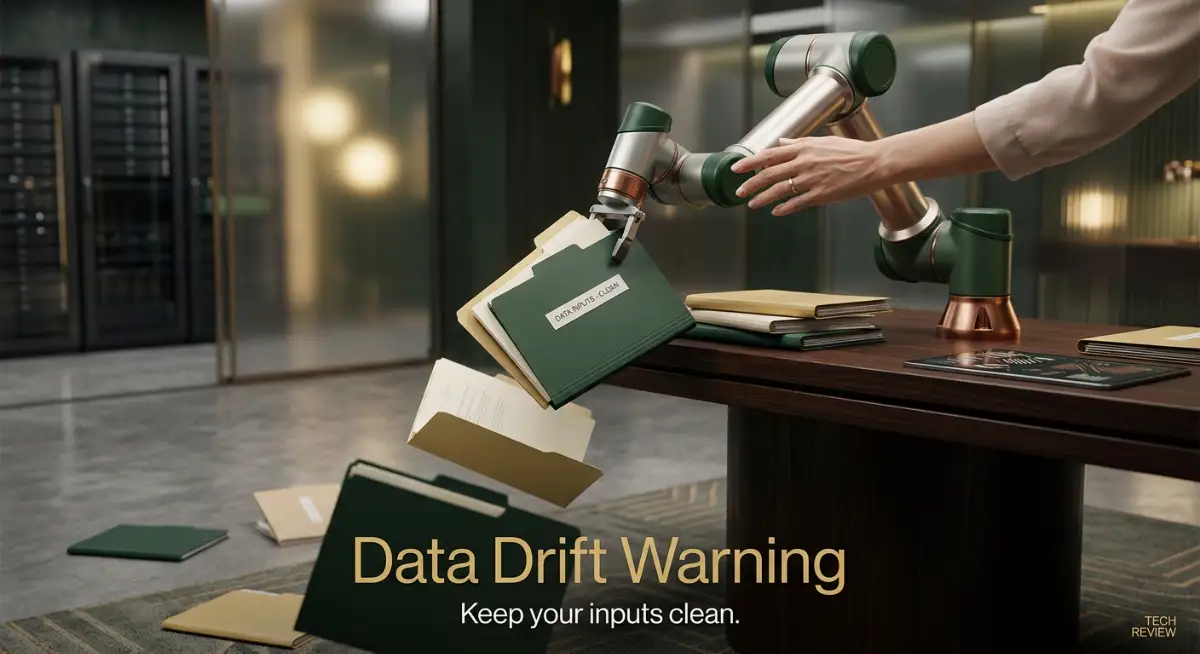
The problem is usually not the software itself. The problem is that the world around the software has changed. In the tech industry, this is known as data drift.
Let me explain this in very simple terms. Imagine you train a system to recognize high-priority sales leads based on the words people use in contact forms. For six months, the system works brilliantly because your customers always use words like "buy," "urgent," or "pricing."
Then, a new social media trend happens. Your ideal customers start using completely different slang to describe what they want. They stop saying "pricing" and start saying "subscription options."
Because your smart algorithm was trained on the old data, it does not understand the new terms. It starts ignoring your most valuable leads because it thinks they are just casual visitors. It is doing exactly what you taught it to do, but the rules of the game have shifted.
This happens constantly in daily operations. Your suppliers might change the format of their invoices. Your clients might change how they name their uploaded files. If the inputs change even slightly, your outputs will suffer.
To solve this, you need to accept that training a smart tool is an ongoing process. It is a living system. When you notice that the accuracy of your workflow is dropping, you do not need to throw the whole tool away. You just need to show it new examples.
Feed it the new invoices. Show it the new customer emails. By constantly refreshing the information it learns from, you keep the system sharp and highly accurate.
Myth vs Reality in Smart Workflows
Why Bad Inputs Destroy Good Systems
There is an old saying in computer science: Garbage In, Garbage Out. This rule applies heavily to modern algorithmic tools. The quality of the help you get from these systems depends entirely on the quality of the information you give them.
Many people make the mistake of feeding messy, unorganized data into a smart tool, hoping the tool will magically clean it up. For example, they might upload a messy spreadsheet of contacts with missing emails, misspelled names, and mixed formatting.
They expect the algorithm to figure it out. But algorithms are not mind readers. If you feed a system confusing information, it will learn confusing patterns. It might start merging the wrong contacts together or sending emails to blank addresses.
Before you ever connect a new tool to your daily tasks, you must clean your house first. Take the time to standardize how you name your files. Make sure your spreadsheets are properly formatted.
If you are using a tool to automatically track your business expenses, make sure your bank descriptions are clear. If your bank statements are filled with weird abbreviations and missing dates, the smartest tool in the world will still categorize things wrong.
Building a clean foundation is the most important step in automation. It might take you an extra hour to clean up your messy folders, but that hour will guarantee your smart tools work perfectly for the next six months.
You should also be very careful about connecting too many apps together at once. Some people try to build massive chains of actions. They want an email to trigger a calendar event, which triggers a slack message, which updates a database, which generates a report.
When you build chains that long, a single broken link destroys the whole process. Keep your automated steps short and simple. If you only automate two steps instead of ten, it is much easier to find the problem when something goes wrong.
Complexity is the enemy of reliability. The best and most efficient professionals do not use complicated webs of software. They use very simple, highly monitored, and clean workflows.
Trusting the Wrong Confidence Levels
Another major issue people face is misunderstanding how algorithms make decisions. When a human is unsure about something, they will usually tell you. A human assistant will say, "I am not completely sure where this document belongs, can you help me?"
Smart algorithms usually do not do this. They are designed to make a guess and move on. Even if the system is only 51% sure that an email is spam, it will throw it in the spam folder with absolute confidence.
This false confidence is extremely dangerous for important tasks. If you are automating legal documents, medical records, or large financial transactions, you cannot afford a 49% chance of failure.
To protect yourself, you need to understand the thresholds of your tools. Many modern platforms allow you to set a confidence limit. You can tell the system, "Only automate this task if you are 95% sure it is correct. If you are less sure, send it to me for a manual review."
Using confidence thresholds is a game-changer for daily productivity. It gives you the perfect balance. The system automatically handles the obvious, simple tasks where it is highly confident. It then flags the weird, unusual tasks for your human brain to solve.
This strategy prevents you from waking up to a disaster. It allows you to trust the system because you know the system knows its own limits.
You must always remember that algorithms lack human context. They do not understand sarcasm in an email. They do not know that a specific vendor always misspells their own company name on invoices.
We as humans hold years of subtle context in our heads. We use this context to solve problems instantly. A machine only knows what is on the screen.
When you design your daily routines, always ask yourself: "Does this task require emotional intelligence or past context?" If the answer is yes, do not automate it completely. Keep your hands on the steering wheel. Let the machine do the heavy lifting of gathering the data, but you must be the one to make the final choice.
By avoiding these silent mistakes, you transform these digital tools from stressful liabilities into the ultimate productivity boosters they were always meant to be.
Pro-Level Strategies to Bulletproof Your Digital Routine
Once you understand why your automated systems are secretly failing, you need a solid plan to fix them permanently. You cannot just patch the problem today and hope it stays fixed tomorrow. You need to build a system that tells you when it is confused, rather than just guessing and making a mess.
One of the smartest things you can do is create a structured feedback loop. A feedback loop simply means you give the algorithm a clear way to learn from its daily mistakes. When your smart tool mislabels a client email, do not just manually drag it to the right folder and walk away.
You need to actively tell the system that it made a mistake. Most modern tools have a "report error" or "re-train" button. Taking two extra seconds to hit that button completely changes how the software performs next week.
If you are using generative text models for your daily work, your initial instructions matter more than anything else. You might want to check out some proven methods for writing flawless AI prompts to ensure your tools start off on the right foot. When your initial instructions are crystal clear, the machine has a much smaller chance of drifting off track.
I also highly recommend using the "10% Audit Rule" for all your important tasks. No matter how perfectly your system runs, randomly select 10% of its completed tasks every month and read through them with your own eyes.
The Art of Setting Up Safety Nets
You should never let a smart tool send a final, uneditable message to a high-paying client without a safety net. The best professionals always use "draft mode" for their most sensitive communications.
Let the machine do the heavy lifting of gathering data, analyzing the numbers, and writing the email. But force the system to save it as a draft. You can then scan it during your morning coffee and hit send yourself.
This gives you the speed of modern technology without the panic of sending the wrong file. It is the exact same concept as reading the fine print before signing a legal document. Just like you would carefully look for hidden traps in personal loan agreements, you must carefully review what your software is committing you to.
If you want to understand how the biggest companies handle this exact problem, the experts at Harvard Business Review regularly share amazing insights on balancing machine efficiency with human judgment. They always emphasize that human oversight is not a weakness; it is a massive competitive advantage.
Creating Alert Thresholds
Another secret weapon is setting up automated alerts for when things get weird. Most advanced software allows you to set up notifications based on unusual behavior.
For example, if your automated ad-spending tool suddenly tries to spend triple your normal daily budget, it should immediately pause and text your phone. If your automated customer support bot receives 50 identical complaints in an hour, it should shut down and flag a human.
These alerts act like a fire alarm for your daily operations. You do not have to stare at the system all day, but you know it will loudly warn you before the whole building burns down.

The Most Dangerous Traps You Must Avoid
When people first start fixing their digital routines, they usually fall into a few very specific, emotionally draining traps. The most common mistake is ignoring the tiny, seemingly harmless errors.
Imagine your smart expense tracker keeps categorizing your weekly $5 coffee as a "business software subscription." You see it happening, but you think, "It is only five dollars, I will fix it later." You are teaching the system that this mistake is perfectly acceptable.
By the end of the year, your financial reports are a complete disaster. This is exactly how people get completely overwhelmed during tax season. Ignoring small errors is just like ignoring the complicated terms in a contract. If you do not understand tricks insurance companies use to void a policy, you will pay the price later. The same logic applies to ignoring your software logs.
Another massive pitfall is trying to scale a broken process. Let's say you have a smart workflow that automatically generates weekly reports for three clients, but it constantly messes up the formatting. Instead of fixing the root cause, you decide to offer this automated report to thirty new clients.
Now, instead of manually fixing three reports on a Friday, you are staying up until midnight manually fixing thirty reports. Scaling a broken system is the fastest way to burn yourself out.
You must ensure your foundation is rock solid before you add more weight to it. If the machine cannot handle three tasks perfectly, it will absolutely fail at thirty.
The Danger of Assuming Context
I see so many smart people make the mistake of trusting the machine to understand human emotions. Algorithms do not have empathy. They do not understand that a customer sending an email in ALL CAPS is probably very angry.
If you automate your customer service replies without sentiment analysis, you might send a happy, robotic "Thank you for your feedback!" message to a furious client. That single mistake can permanently destroy a valuable relationship.
You have to clearly map out which parts of your day require a human heartbeat. Empathy, negotiation, and complex problem-solving should never be fully handed over to a machine.
Researchers at the Stanford Artificial Intelligence Laboratory constantly warn that even the most advanced models struggle with real-world emotional context. They can mimic conversation, but they cannot truly read a room.
When you forget this reality, you stop acting like a helpful professional and start acting like a cold, disconnected corporation. Your clients will notice the difference immediately.
Over-Complicating Your Digital Life
Sometimes, the best solution is to just delete the automation entirely. We often fall in love with the idea of being highly technical, so we build complicated systems for things that take two minutes to do manually.
If you spend three hours maintaining an automated workflow that only saves you five minutes a week, you are losing money. It is very easy to get caught up in the hype of new tech features.
To stay grounded, always measure the actual time saved against the mental energy required to maintain it. If a smart tool is causing you more stress than joy, unplug it.
Going back to a manual checklist is not a failure. It is often the smartest business decision you can make. It is exactly like taking the time to read medical insurance documents carefully. It might feel slow and boring in the moment, but that careful manual effort protects you from massive headaches later.
You want tools that quietly support you in the background. If you are constantly fighting with your software, it is time to simplify your setup. For the best practices on managing clean digital data, the National Institute of Standards and Technology offers excellent, free guidelines on keeping your technical systems reliable and safe.
Your Blueprint for a Stress-Free Digital Life
Taking back control of your daily workflow does not mean you have to abandon modern technology completely. It simply means you are shifting from being a passive user to an active manager.
You now understand that smart systems are incredibly powerful, but they are also deeply flawed without your guidance. They need your context, your corrections, and your careful oversight to function at their best.
Start small tomorrow morning. Pick just one automated task that you rely on every day. Open up the settings, check the history logs, and see what the machine has been doing behind your back.
You will likely find at least one small error that you can fix in less than five minutes.
By making these tiny adjustments part of your weekly routine, you will slowly build a digital environment that is incredibly reliable. You will stop worrying about what might be breaking in the background.
Instead, you will finally experience the true peace of mind that technology was supposed to give you in the first place. You will have more time, less anxiety, and complete confidence in your daily operations. For even more helpful insights, you can always explore the resources available on our main technology hub.
I have personally wasted so many weeks of my life blindly trusting software to do my job, only to clean up the mess later. Once I started treating my automated tools like beginners who needed my regular guidance, my stress levels dropped to zero, and my actual productivity skyrocketed. You have the power to make this change today, so take a deep breath and start taking back control of your digital life.
Common Questions About Smart Workflow Management
How often should I check on my automated tasks?
You should aim to do a quick manual review of your automated workflows at least once a week. Pick a random sample of completed tasks to ensure the algorithm is still making accurate decisions based on your current needs.
Can an algorithm permanently ruin my business data?
If left completely unsupervised for a long time, bad algorithms can severely mess up your data records. However, if you keep backups of your original data and perform regular audits, you can easily reverse any confusing mistakes the system makes.
What is the easiest way to tell if a system is failing silently?
The most obvious sign is when you start receiving unexpected complaints from clients or noticing strange gaps in your daily reports. If your output suddenly looks slightly different but you did not change any settings, the system is likely suffering from data drift.
Should I completely stop automating my daily routine?
Absolutely not. You should absolutely keep automating the boring, repetitive parts of your day, like data entry and file sorting. Just make sure you keep the final approval or review process in your own human hands.
Do I need to know how to code to fix these mistakes?
No, you do not need any coding skills to fix these common workflow issues. Most modern platforms have simple visual dashboards where you can easily adjust rules, correct bad guesses, and set up safety alerts with just a few clicks.
![The Secret to Writing Flawless AI Prompts in 3 Easy Steps [Proven Formula]](https://techinfomart.com/storage/uploads/blogs/1787840202_the-secret-to-writing-flawless-ai-prompts-in-3-easy-steps-proven-formula.webp)